 AppLocker
Intruder Selfies & Break-in Alerts PRO
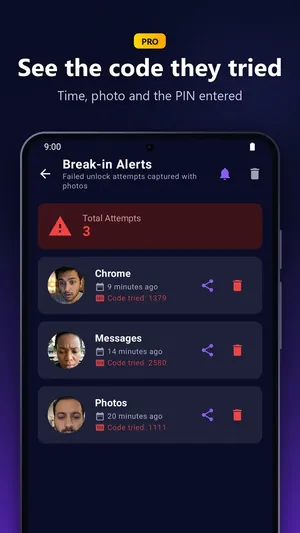
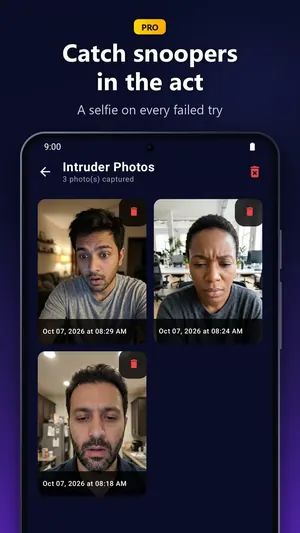
A front-camera photo and a record of every failed unlock attempt. Break-in evidence+ even shows the code they tried, and lets you export the photo evidence.
When someone else has your phone, the apps you locked stay shut until your PIN or pattern goes in. Free for 3 apps (with ads). With Pro, a wrong guess quietly takes their photo.
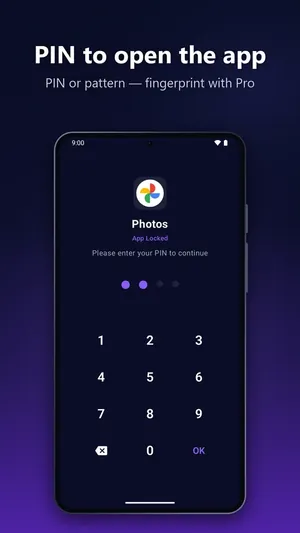
A locked app opens behind AppLocker's lock screen until the right PIN goes in. Have a go: the demo PIN is 1234.
Enter your PIN to continue
Only someone with your PIN gets this far. When you leave the app, it locks again by itself.
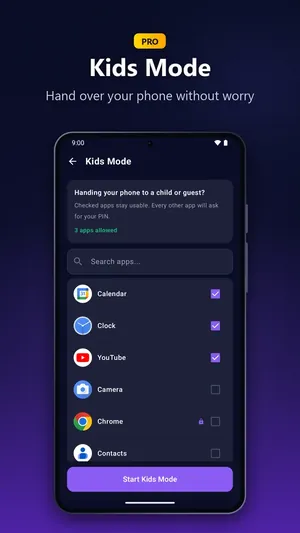
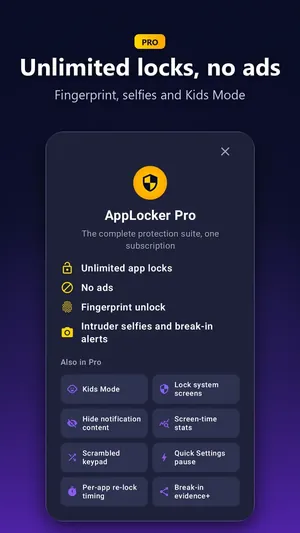
Three apps are free. Pro adds the quiet photo after a wrong guess, and a one-tap Kids Mode before you hand your phone to a child.
A front-camera photo and a record of every failed unlock attempt. Break-in evidence+ even shows the code they tried, and lets you export the photo evidence.
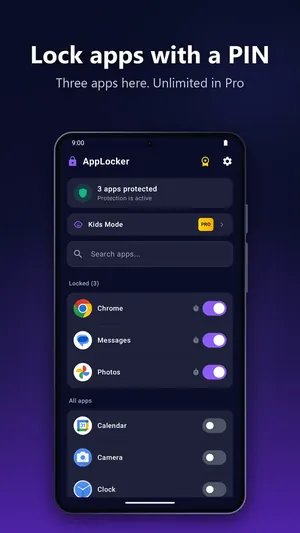
Lock up to 3 apps free, unlimited with Pro.
Open your locked apps with a touch.
One tap locks every app except the ones you allow. Handy before you hand over your phone.
Stops others from uninstalling AppLocker. Included free.
Apps lock again shortly after you leave them, and always when the screen turns off. Pro sets the timing per app.
Settings, Play Store and the app installer ask for your PIN.
Previews from locked apps stay hidden until you unlock.
Digits shuffle on every lock screen, so shoulder-surfers learn nothing.
Install something new and AppLocker offers to lock it right away. Plus a Quick Settings pause PRO that switches back on when the screen turns off.
See how often each app was opened today.
AppLocker Pro is a monthly subscription. Eligible new subscribers start with a free trial, and you can cancel anytime in Google Play.
| Feature | Free | Pro |
|---|---|---|
| App locks with PIN or pattern | Up to 3 | Unlimited |
| Ads | Shows ads | No ads |
| Automatic re-lock | ✓ | ✓ + per-app timing |
| Uninstall Protection | ✓ | ✓ |
| Ask to lock new apps | ✓ | ✓ |
| Fingerprint unlock | – | ✓ |
| Intruder Selfies & Break-in Alerts | – | ✓ |
| Break-in evidence+ | – | ✓ |
| Kids Mode | – | ✓ |
| Lock system screens | – | ✓ |
| Hide notification content | – | ✓ |
| Scrambled keypad | – | ✓ |
| Quick Settings pause | – | ✓ |
| Screen-time stats | – | ✓ |
No Accessibility tricks.
No account to make.
Just your PIN.
An app lock needs a few permissions to work. Here is exactly what AppLocker uses, and why.
Four steps from install to your first locked app.
Get it free from Google Play.
Usage Access and Display over other apps, so AppLocker can see which app opens and show its lock screen on top. No Accessibility service.
This is what opens your locked apps. It never leaves your phone.
Switch on your chats, photos or banking apps. Up to 3 free, unlimited with Pro.
Install AppLocker from Google Play, allow Usage Access and Display over other apps, set a PIN or pattern, then switch on the apps you want to lock. From then on, those apps open behind AppLocker's lock screen.
Yes. The free plan locks up to 3 apps with a PIN or pattern and shows ads. AppLocker Pro is a monthly subscription for unlimited locks, no ads, fingerprint unlock and more. Eligible new subscribers start with a free trial, and you can cancel anytime in Google Play.
No. AppLocker uses Usage Access to see which app is opening and "Display over other apps" to show the lock screen on top of it.
No. There is no account to create, and your PIN never leaves your phone.
After several wrong PINs in a row, PIN entry pauses for a short time. With Pro, Intruder Selfies takes a front-camera photo and Break-in Alerts record every failed unlock attempt, including the code they tried.
Yes, with AppLocker Pro. Lock system screens makes Settings, the Play Store and the app installer ask for your PIN.
Not if you turn on Uninstall Protection, which is part of the free plan. It uses device admin only for that purpose.
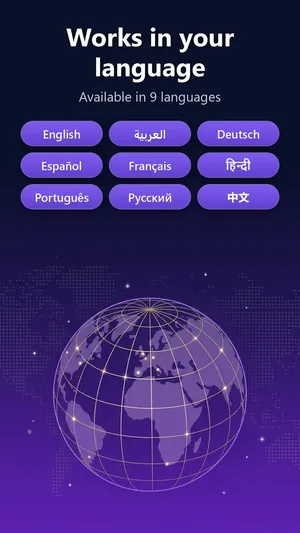
Android 7.0 or later. AppLocker is available in 9 languages: English, Arabic, German, Spanish, French, Hindi, Portuguese, Russian and Chinese.
Free for up to 3 apps. No account. Install from Google Play.